
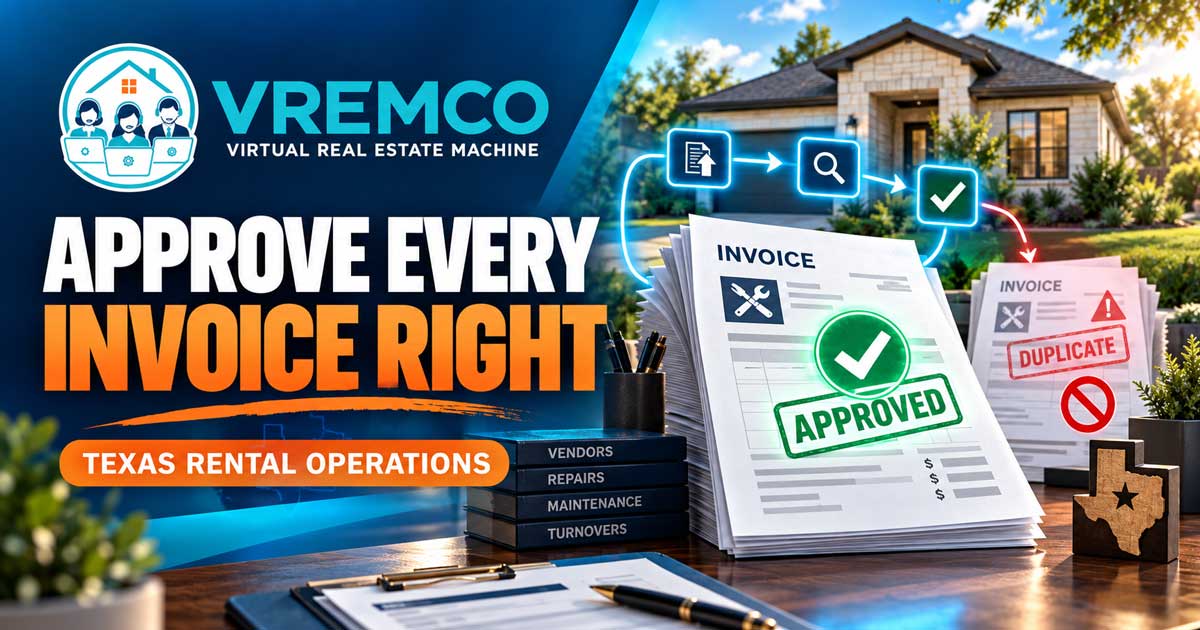
A consistent invoice workflow helps Texas rental operators verify work, prevent duplicate payments, document approvals, and code expenses to the right property.
A good rental property invoice approval workflow answers five questions before money moves: Is the invoice legitimate? Does it match authorized work? Is the amount correct? Has the right person approved it? Can the complete record be found later? The simplest reliable system moves every invoice through the same visible stages and separates administrative preparation from financial authority.
For Texas landlords, investors, and property operations teams, the goal is not more paperwork. It is a clean path from vendor submission to documented approval, accounting entry, payment confirmation, and permanent property records. VREMCO can support collection, data entry, matching, routing, follow-up, and record organization under the client’s direction. The client retains control of approvals, banking, payments, accounting decisions, disputes, and vendor selection.
Why Invoice Problems Multiply Across a Portfolio
One invoice is easy to recognize. A portfolio produces invoices from plumbers, HVAC contractors, handymen, utilities, insurers, inspectors, landscapers, make-ready crews, and other vendors. They arrive by email, text, portal, and paper. Without a standard intake point, the same bill can appear twice while an urgent bill disappears.
- Invoices are sent to several employees with no single owner.
- The property address or unit is missing.
- The bill does not match the approved estimate or work order.
- A vendor resubmits an invoice and it is entered twice.
- Photos, receipts, permits, or completion notes are stored elsewhere.
- Approval happens in a text message that never reaches the accounting file.
- The invoice is paid, but proof of payment is not linked to the original record.
These failures are usually process failures, not effort failures. A shared workflow reduces reliance on memory and makes exceptions visible.
Start With One Controlled Intake Channel
Choose one approved destination for invoices, such as a dedicated email address, vendor portal, or form. If an invoice reaches a team member another way, it should be forwarded into that channel before processing. This creates a reliable starting point and timestamp.
Provide vendors with a short submission standard. Each invoice should identify the vendor, invoice number, invoice date, service date, property address, unit or lot when applicable, work performed, amount due, and payment instructions already authorized by the client. Require supporting documents when the client’s policy calls for them.
Create a Record Before Reviewing the Bill
Assign every received invoice a status and enter its core information before it moves between people. A useful record includes:
- Vendor legal or approved business name
- Invoice number and date received
- Property, unit, lot, or project
- Work-order or estimate reference
- Service category and short description
- Subtotal, tax, credits, and total
- Due date and payment terms
- Supporting documents received
- Current status, responsible person, and next action
- Approver, approval date, payment date, and proof-of-payment link
The IRS identifies invoices, receipts, paid bills, canceled checks, and other proof of payment as supporting documents for business records. It also notes that expense records should identify the payee, amount, payment evidence, date incurred, and description of the service or item. A complete operational record makes that information easier to locate, but the client’s tax professional should determine the final accounting and retention treatment.
Run a Duplicate and Completeness Check
Before routing an invoice for approval, compare the vendor, invoice number, amount, property, and service date against open and paid records. Exact invoice numbers catch many duplicates, but not all. Vendors sometimes change punctuation, resend a statement, or issue a revised invoice under a new number.
- Is the property and service location clear?
- Does the vendor match the approved vendor record?
- Is the invoice number already in the system?
- Does the amount match a prior submission?
- Are required photos, receipts, or completion notes attached?
- Is the invoice a replacement, credit, deposit request, progress bill, or final bill?
- Does anything require escalation before approval?
Administrative staff can flag a suspected duplicate or missing item. They should not unilaterally reject, alter, or approve the financial obligation unless the client has expressly assigned lawful authority and procedures.
Match the Invoice to Authorized Work
The review packet should place the invoice beside the approved work order, estimate, purchase authorization, or client instruction. Confirm whether the described work, property, quantity, rate, and completion evidence match the available authorization.
If the invoice exceeds the approved amount, includes added work, lacks completion evidence, or conflicts with the work order, mark it as an exception. Route the exception to the designated client decision-maker with a concise summary of what changed and which documents are available. Do not hide the difference by editing the invoice or splitting it into smaller entries.
Use Approval Levels That Match the Client’s Rules
Approval paths should be written in advance. A client may use dollar thresholds, property-specific budgets, project managers, ownership entities, or multiple approvals. The workflow should identify who can approve each category and what happens when that person is unavailable.
Example Statuses
- Received: invoice captured but not yet reviewed
- Needs information: missing property, documentation, or vendor detail
- Ready for approval: intake and matching checks complete
- Exception review: amount, scope, duplicate, or authorization issue
- Approved for payment: authorized person recorded the decision
- Entered for payment: approved data entered into the client’s system
- Paid: payment completed by an authorized party and evidence recorded
- Disputed or on hold: client directed further review
- Closed: invoice, approval, entry, and payment record are complete
Status names should describe facts. Avoid vague labels such as “handled” or “done” when the payment or supporting record is still incomplete.
Separate Entry, Approval, and Payment
Even a small team benefits from separating the person who prepares invoice data from the person who approves the expense and the person who releases payment. When staffing does not allow full separation, add compensating controls such as owner review, payment limits, bank alerts, or a periodic independent reconciliation designed by the client and financial professionals.
VREMCO may enter client-approved invoice information, assemble approval packets, track status, and record confirmation. It should not be described as independently approving expenses, controlling client funds, signing checks, changing bank information, or deciding accounting classifications.
Protect Vendor and Payment Information
A request to change bank or payment instructions should never be treated as an ordinary invoice update. Use the client’s verification procedure and an independently sourced contact method. Limit access to tax forms, banking details, account numbers, and sensitive documents. Record who verified the change and when.
The same principle applies to suspicious invoices. Pause the workflow, preserve the original communication, and escalate it rather than replying through an unverified address or phone number.
Close the Loop After Payment
Approval is not the final step. After an authorized party releases payment, record the date, amount, method, confirmation reference, and any remaining balance. Link the proof of payment to the original invoice and approval record. If a credit or refund is expected, create a separate follow-up task instead of assuming it will appear.
A monthly review should compare approved invoices, accounting entries, payment confirmations, vendor statements, and property-level reports. Differences should be documented and assigned. The client’s bookkeeper or CPA should direct the formal reconciliation and accounting treatment.
Measure Exceptions, Not Just Volume
Useful operating measures include invoices awaiting information, average days to approval, invoices approaching due dates, duplicate flags, exceptions by vendor, credits still outstanding, and records missing payment confirmation. These measures reveal bottlenecks without rewarding the team for rushing approvals.
What VREMCO Can Support
VREMCO provides virtual administrative and operational support as an extension of a client’s internal team. Invoice support may include receiving documents, entering approved data, matching invoices to available work orders, organizing attachments, routing approval requests, following up on missing information, updating status trackers, and maintaining records under client procedures.
Explore VREMCO’s virtual administrative support services or review more practical systems on the VREMCO blog.
Ownership, vendor decisions, financial approvals, payments, accounting treatment, legal decisions, and licensed activities remain with the client and designated professionals.
Frequently Asked Questions
What should a rental-property invoice include?
At minimum, it should clearly identify the vendor, invoice number, date, property or service location, work performed, amount, and payment terms. Client procedures may require work-order references, photos, receipts, or completion notes.
How can a team prevent duplicate invoice payments?
Use one intake channel, require invoice numbers, compare vendor, amount, property, and service date against open and paid records, and keep the approval and payment confirmation linked to the invoice.
Who should approve vendor invoices?
The client should define approval authority in writing based on its ownership, staffing, budgets, and professional advice. Administrative support can prepare and route the record but should not imply independent financial authority.
How long should invoice records be kept?
Retention depends on the transaction, tax treatment, property, contracts, insurance, lender requirements, and applicable law. The IRS provides general federal recordkeeping guidance, but owners should obtain a policy from qualified tax and legal professionals.
Can VREMCO pay invoices for the client?
VREMCO’s public role is administrative support under client direction. The client retains financial authority and control. Any system access or workflow must follow the client’s written procedures and appropriate safeguards.
Build a Workflow That Leaves Evidence
A reliable invoice process does more than move bills quickly. It creates a clear record of what was received, what was verified, who approved it, what was entered, when payment occurred, and what remains unresolved. That visibility helps Texas portfolio operators protect cash flow, answer vendor questions, and maintain cleaner property records.
If your team needs help organizing the administrative work behind invoice intake, billing entry, approvals, and vendor follow-up, contact the Virtual Real Estate Machine at 713-360-0789 or support@vrem.co. Your team keeps control of every financial decision and approval.
Financial and tax note: This article provides general operational information, not accounting, tax, legal, or financial advice. Owners should set approval and retention policies with their CPA, bookkeeper, attorney, and other qualified professionals.
Sources
What Kind of Records Should I Keep, Internal Revenue Service: Invoices, paid bills, receipts, payee, amount, proof of payment, date, and description. Updated August 3, 2026. Accessed September 20, 2026.
Recordkeeping, Internal Revenue Service: General recordkeeping principles and retention context. Updated May 1, 2026. Accessed September 20, 2026.